Building custom forms
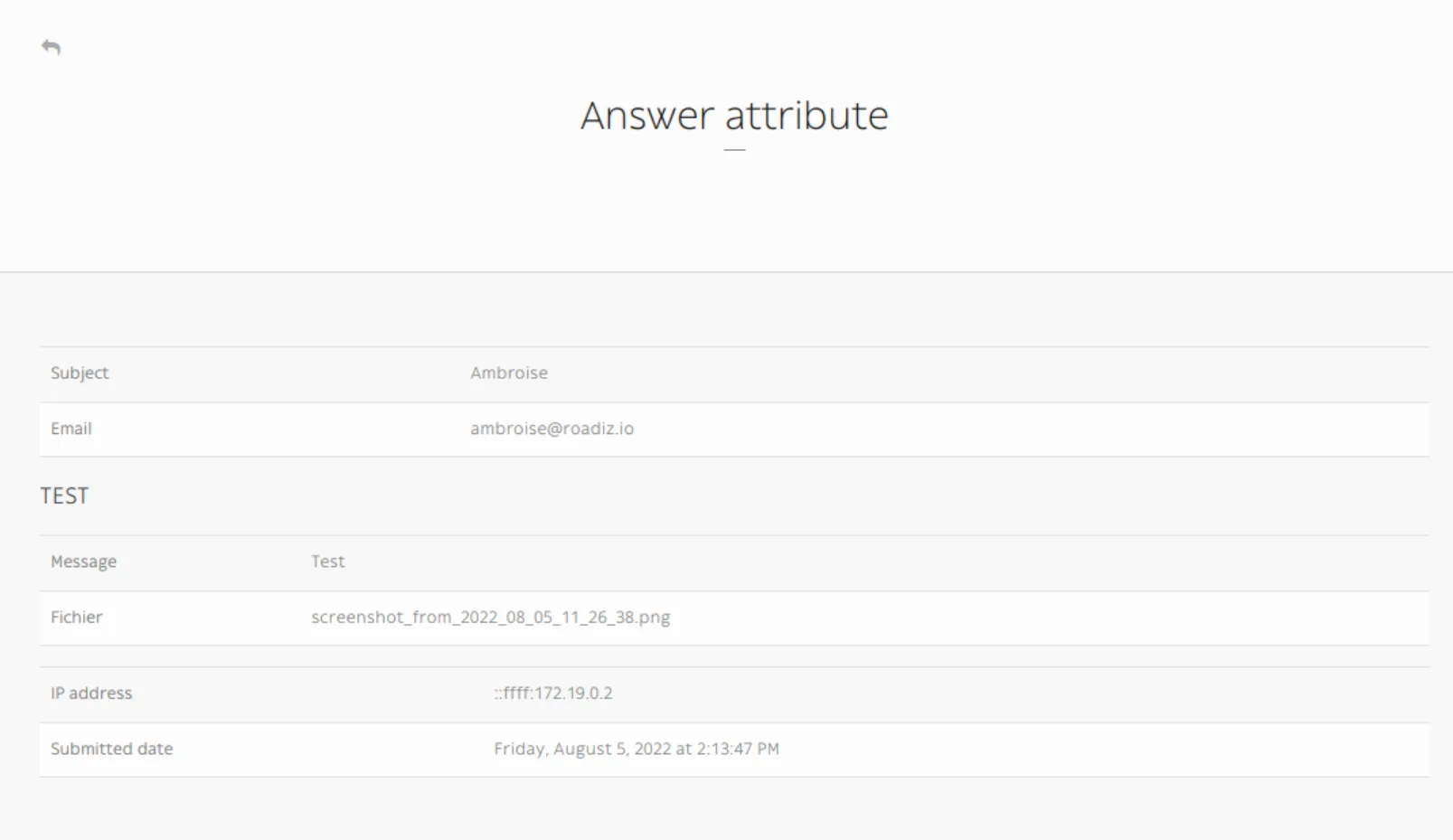
Building a custom form looks like building a node, but it is a lot simpler! Let's have a look at structure image.

After creating a custom form, you add some question. The questions are the CustomFormField type.
The answer is saved in two entities:
- in CustomFormAnswer
- in CustomFormFieldAttribute
The CustomFormAnswer will store the IP and the submitted time. While question answer will be in CustomFormFieldAttribute with the CustomFormAnswer id and the CustomFormField id.
Overriding allowed file mime types
Documents fields accept a default mime type list: application/pdf, application/x-pdf, image/avif, image/heif, image/heic, image/webp, image/jpeg, image/png, image/gif.
To override it, fill the field Default values (in Manage custom forms / your field) with a comma-separated list of mime types. It replaces the default list entirely:
image/svg+xml, application/pdfMax upload size is not part of that list: it comes from the fileUploadMaxSize form option (10m by default) when building CustomFormsType.
Exposing a custom form in your API
Custom-form can be filled in a headless context, using _definition and _post endpoints:
GET {{baseUrl}}/api/custom_forms/:id/definitionCustom form definition is a JSON form schema meant to give your frontend application a recipe to build a HTML form:
{
    "title": "",
    "type": "object",
    "properties": {
        "subject": {
            "type": "string",
            "title": "Subject",
            "attr": {
                "data-group": null,
                "placeholder": null
            },
            "description": "Est aut quas eum error architecto.",
            "propertyOrder": 1
        },
        "email": {
            "type": "string",
            "title": "Email",
            "attr": {
                "data-group": null,
                "placeholder": null
            },
            "description": "Email address",
            "widget": "email",
            "propertyOrder": 2
        },
        "test": {
            "title": "TEST",
            "type": "object",
            "properties": {
                "message": {
                    "type": "string",
                    "title": "Message",
                    "attr": {
                        "data-group": "TEST",
                        "placeholder": null
                    },
                    "widget": "textarea",
                    "propertyOrder": 1
                },
                "fichier": {
                    "type": "string",
                    "title": "File",
                    "attr": {
                        "data-group": "TEST",
                        "placeholder": null
                    },
                    "widget": "file",
                    "propertyOrder": 2
                }
            },
            "required": [
                "fichier"
            ],
            "attr": {
                "data-group-wrapper": "test"
            },
            "propertyOrder": 3
        }
    },
    "required": [
        "subject",
        "email",
        "test"
    ]
}
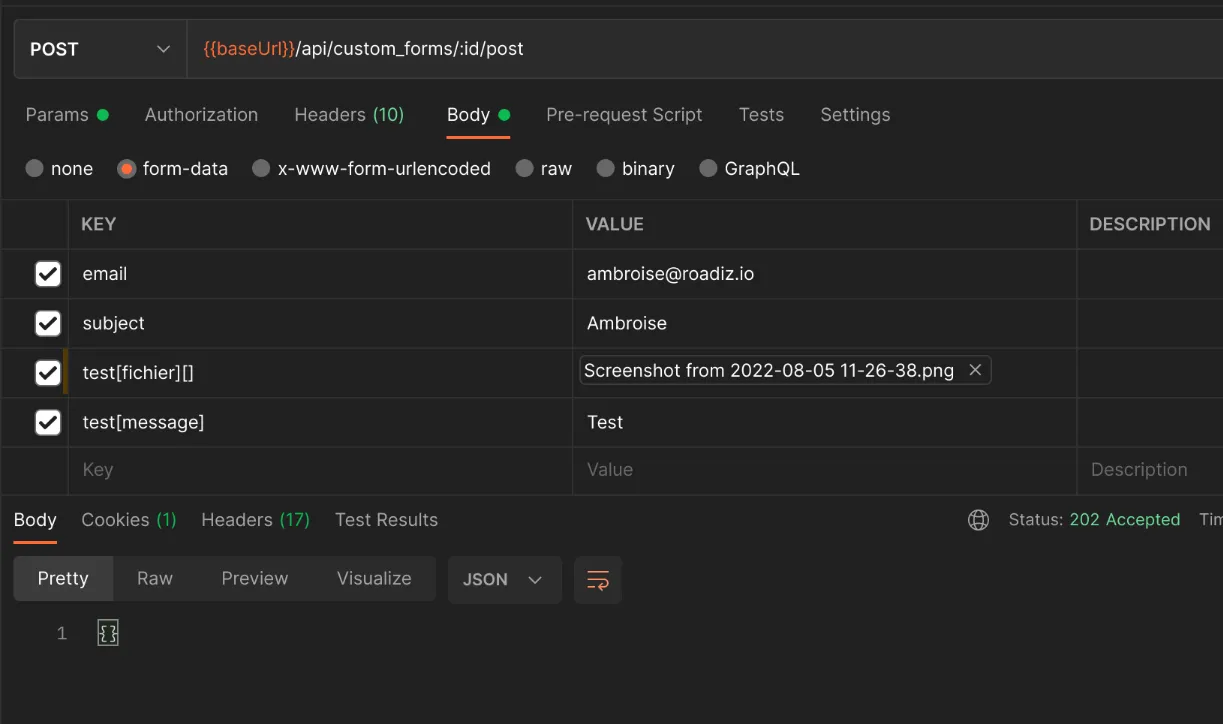
Then you can send your data to the post endpoint using FormData and respecting field hierarchy:
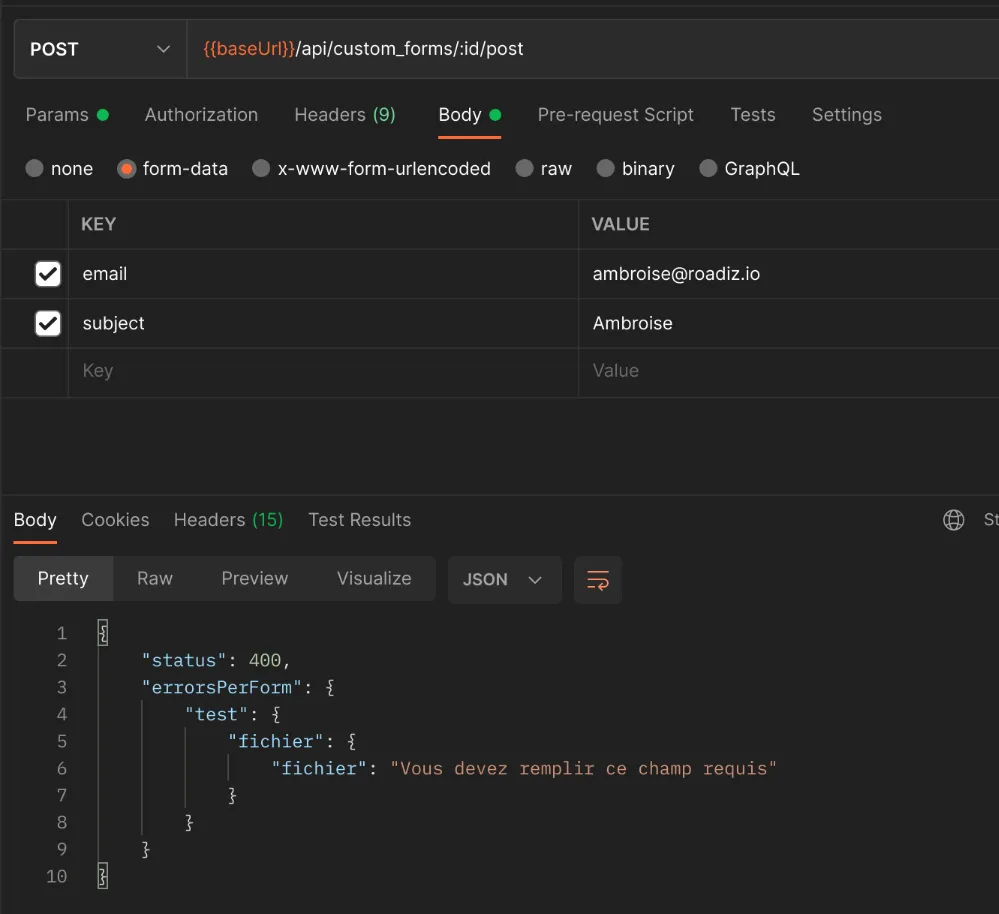
POST {{baseUrl}}/api/custom_forms/:id/postIf there are any error, a JSON response will give you details fields-by-fields.
If post is successful, API will respond an empty 202 Accepted response
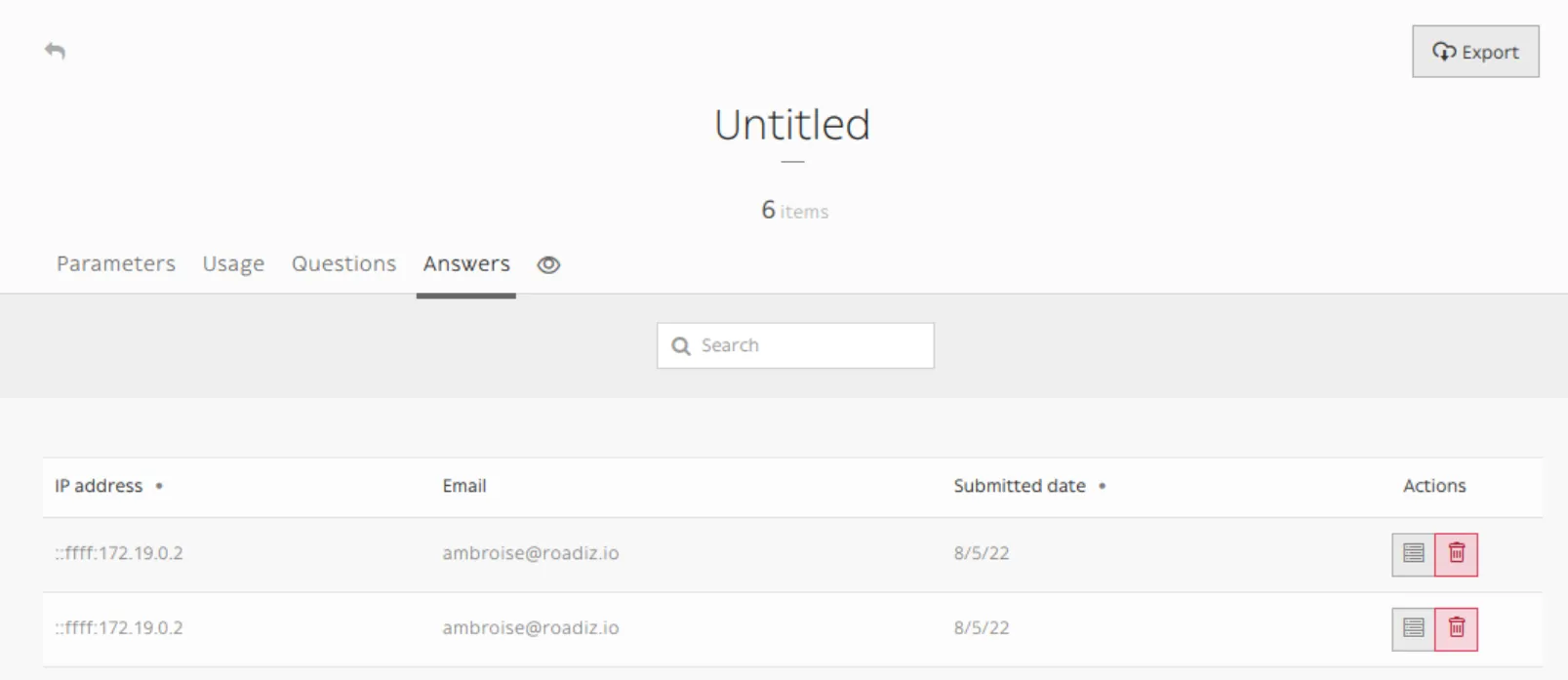
Then you will be able to see all your form submissions in the Roadiz back office:

In Manage custom forms section / Answers
TIP
Any file attached to your custom-form answers will be uploaded as private documents.